

 Registro degli aggiornamenti
Novità
fonio Changelog: modifiche, aggiornamenti, rilascio di funzionalità e correzione bug.
Segui i rilasciClick-to-Dial nell'app desktop di fonio

Ora puoi avviare automaticamente una chiamata dal tuo computer tramite fonio.
Configurazione su Mac. Apri fonio, vai su Impostazioni account e imposta fonio come app predefinita per le chiamate.
Configurazione su Windows. Dopo aver installato fonio, vai su Impostazioni, poi App, poi App predefinite e seleziona fonio.
Integrazione nativa con HubSpot per il PBX

Il PBX di fonio ora si integra in modo nativo con HubSpot. Le chiamate in entrata e in uscita, gestite da una persona o da un agente AI, possono essere sincronizzate automaticamente con il tuo CRM HubSpot.
Chiamate registrate sui contatti. Quando arriva o parte una chiamata, fonio verifica se il numero di telefono è presente in HubSpot. Se trova un contatto corrispondente, la chiamata viene registrata su quel contatto, insieme a un riepilogo della chiamata, se disponibile.
Contatti aggiunti a fonio. Il contatto corrispondente viene aggiunto anche a fonio, così il tuo centralino e il tuo CRM restano collegati.
Notifiche mobile per i passaggi di chat a un operatore!

L'app mobile di fonio ora invia notifiche push quando una chat viene assegnata a un operatore!
Quando il tuo agente AI non riesce a gestire completamente una conversazione, ad esempio per argomenti delicati, domande sulla fatturazione o richieste che necessitano dell'intervento di una persona, il tuo team riceve una notifica direttamente sul telefono.
Puoi quindi entrare nella conversazione, rispondere al cliente, inviare immagini o altri allegati e continuare la chat direttamente dal tuo smartphone.
Risposte con schede interattive

Il tuo agente chat ora può rispondere con schede interattive, non solo con testo. Le schede possono presentare opzioni con immagini, descrizioni, dettagli aggiuntivi e pulsanti cliccabili.
I tuoi endpoint API. Puoi combinare le schede interattive con i tuoi endpoint API.
Disponibilità. Disponibile con i piani Team.
Stato dei dispositivi condivisi nella dashboard PBX

La dashboard del tuo PBX ora mostra i tuoi dispositivi condivisi insieme al loro stato in tempo reale. Puoi vedere a colpo d'occhio se un dispositivo è online e raggiungibile.
"Aggiungi al calendario" subito dopo la prenotazione
Le tue pagine di prenotazione ora offrono l'opzione Aggiungi al calendario subito dopo la prenotazione. Prima era possibile solo dall'email o dall'SMS di conferma.
Supporto IMAP per l'assistente email
Ora puoi collegare al tuo assistente email praticamente qualsiasi provider di posta che supporti IMAP.
Funzionalità esistenti incluse. Bozze automatiche, risposte, etichettatura e inoltro funzionano anche con queste caselle di posta.
Spelling più preciso delle informazioni importanti
I tuoi agenti vocali ora sono più bravi a fare lo spelling e a pronunciare le informazioni importanti. Questo vale per nomi di vie, nomi di persona, numeri di telefono, date e altri dettagli durante le conversazioni.
Attivo per tutti gli agenti. I miglioramenti sono già attivi per tutti i tuoi agenti e non devi modificare nulla.
Dispositivi condivisi per il PBX
Ora puoi configurare telefoni non legati a una persona specifica, ad esempio per magazzini, reception o altre postazioni di lavoro condivise.
Configurazione semplice. Crei un dispositivo condiviso, gli dai un nome e selezioni il numero di telefono in uscita. fonio ti fornisce poi i dati di accesso per collegare il tuo telefono.
Contesto della chat web in integrazioni e azioni
Ora puoi usare il contesto esterno delle tue chat web nelle integrazioni, nei webhook e nelle azioni post-conversazione. Finora queste informazioni potevano essere passate dal tuo sito web al tuo agente AI solo tramite setContext.
Qualsiasi informazione fornita dal tuo sito. Lo stesso vale per la pagina corrente, la route attiva o qualsiasi altra informazione fornita dal tuo sito web.
Risposte interattive nelle chat web
Il tuo agente AI nella chat web ora può proporre opzioni cliccabili direttamente nella conversazione, invece di rispondere sempre con semplice testo.
Automatiche e configurabili. Il tuo agente AI decide da solo quando queste opzioni sono utili, e tu puoi configurare quando devono essere usate.
Disponibilità. Disponibile a partire dal piano Team.
Notifiche push nell'app fonio dagli agenti vocali e chat
I tuoi agenti vocali e chat ora possono inviare notifiche push direttamente alla tua app mobile fonio. Possono avvisarti senza dover trasferire una chiamata o avviare un'altra azione.
Avvisa la persona giusta. Se un cliente segnala un'emergenza, il tuo agente può inviare una notifica push alla persona giusta del tuo team.
25 nuove lingue per le chat web
I tuoi chatbot ora supportano in modo nativo 25 lingue e varianti regionali in più, tra cui catalano, cantonese e bengalese.
Spunti di conversazione per i chatbot
Il tuo chatbot ora supporta spunti di conversazione predefiniti.
Fino a 5 risposte rapide. Puoi configurare fino a 5 opzioni di risposta rapida su cui i visitatori possono cliccare per avviare una conversazione.
Traduzione automatica. Ti basta configurare gli spunti in una sola lingua: alla traduzione giusta pensiamo noi.
Orari personalizzati per i trasferimenti di chiamata
Ora puoi definire fasce orarie dedicate in cui i trasferimenti di chiamata sono consentiti, invece di basarti solo sui tuoi orari di apertura generali.
Invia allegati nelle chat
Allegati nelle chat da mobile. Con l'app mobile di fonio ora puoi inviare foto, file e altri allegati nelle chat.
WhatsApp e web chat. Puoi condividere allegati con i clienti direttamente dal tuo telefono, sia nelle conversazioni WhatsApp sia in quelle della web chat.
Nuovi tentativi automatici di chiamata per le campagne in uscita
Le campagne in uscita ora possono ripetere una chiamata se non ha raggiunto nessuno. Puoi attivare questa funzione per le tue campagne.
Regole di ripetizione configurabili. Sei tu a scegliere quando ripetere la chiamata, ad esempio se la linea è occupata, se nessuno risponde o se scatta la segreteria. Puoi anche decidere se riprovare dopo le altre chiamate pianificate o dopo un determinato tempo di attesa.
Gli orari di chiamata restano validi. I nuovi tentativi rispettano gli orari di chiamata che hai configurato.
Cancellazione del rumore per le chiamate AI
Cancellazione del rumore nelle chiamate AI. La cancellazione del rumore è ora attiva per tutte le tue chiamate AI.
UK & US English Accents
UK & US English Accents. Your assistant now recognizes UK and US English separately, so callers hear the right accent for their region.
personNumberVariable Added. You can now use personNumber when setting up your assistant's opening message.
Updated Stora Integration
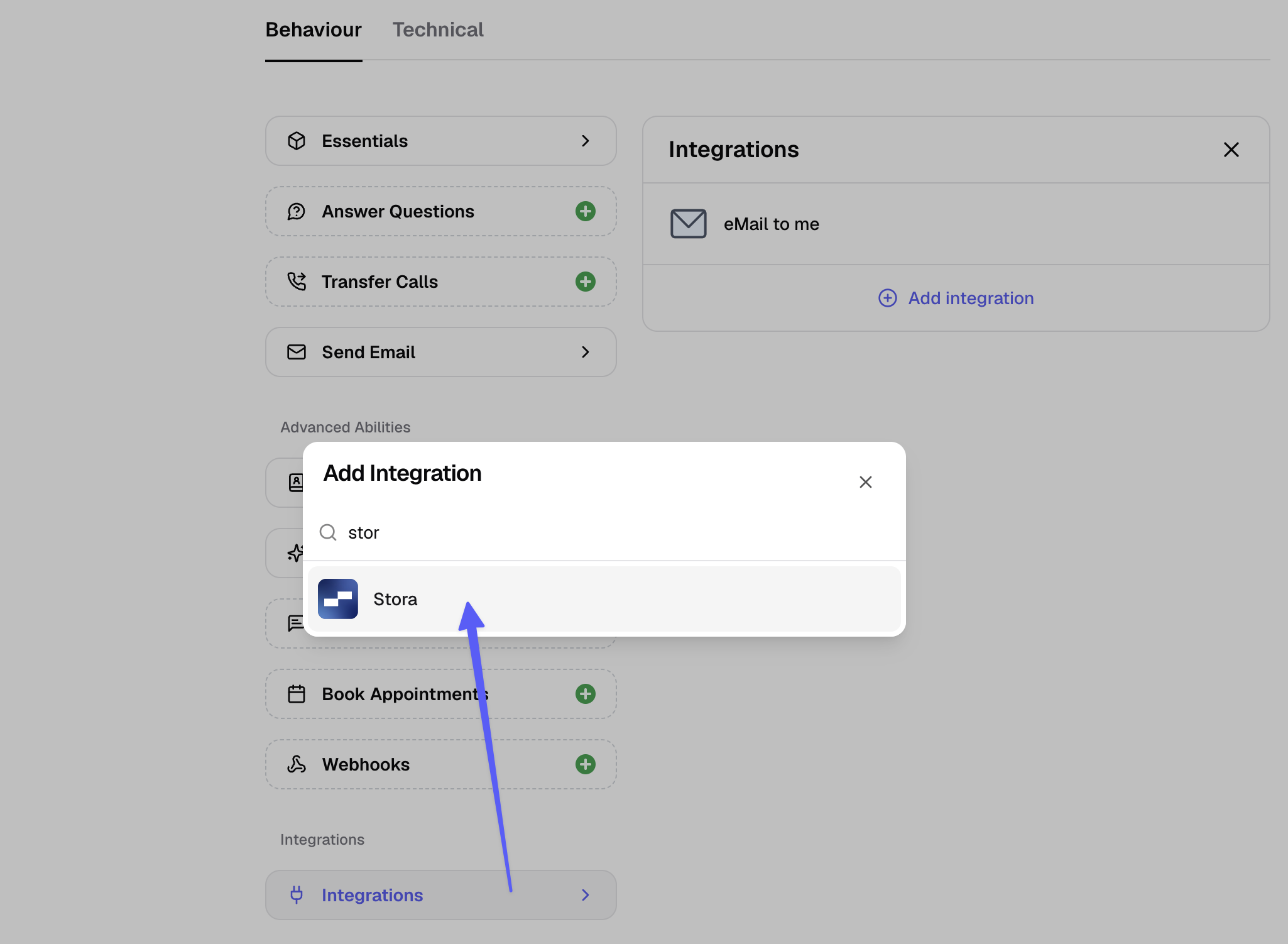
Connect Stora, the self-storage management platform, so your phone assistant and WhatsApp chatbot can check unit availability and booking details during a conversation.
Add it to your assistants, in the assistants tab, under "Integrations"
Fixed: Phone numbers in emails now clickable
Phone Number Links in Emails: Phone numbers in fonio emails now link correctly, so tapping one opens your desktop or phone phone app.
disconnectReasonandaudioLinkVariables Restored: The disconnectReason and audioLink variables are available again for post-call actions.
New US Voices
New US Voices. Two additional voices are now available for US numbers.
KYC Process Can Now Be Restarted. A started KYC process can be cancelled and restarted by a different person.
WhatsApp Display Name Fix. Display name changes made in the Meta Business Manager are now applied correctly.
WhatsApp Human Handover
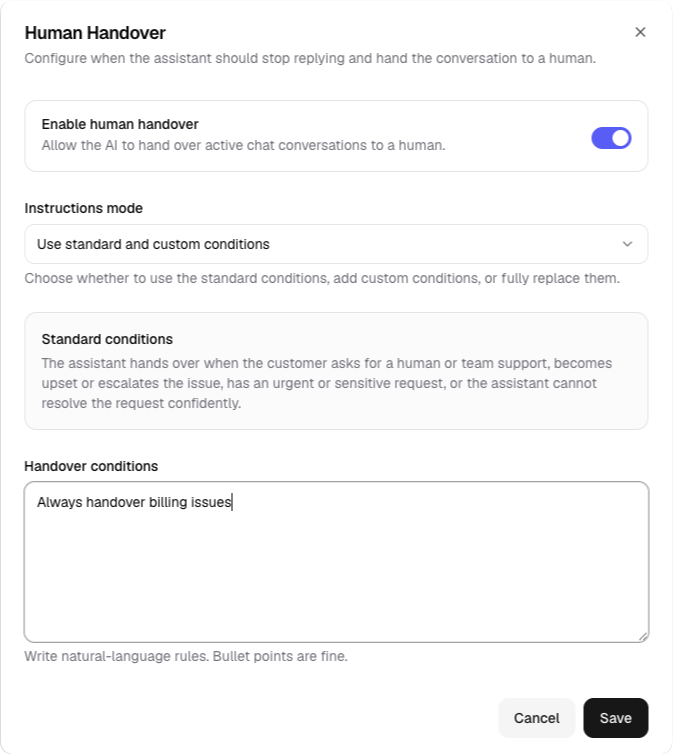
WhatsApp Human Handover. You can now set your own rules for which topics (like billing or refunds) always get handed over to a human, with your team notified directly in the unified inbox.
Startmessage & Webhook Variable Updates. Changes to contact or extraction fields now update automatically across all templates, instead of causing configuration issues.
Improved Email Delivery.
Reseller Portal: Client Overage. Resellers can now let their clients purchase additional add-ons once they go over their plan limits.
WhatsApp Alerts After Calls
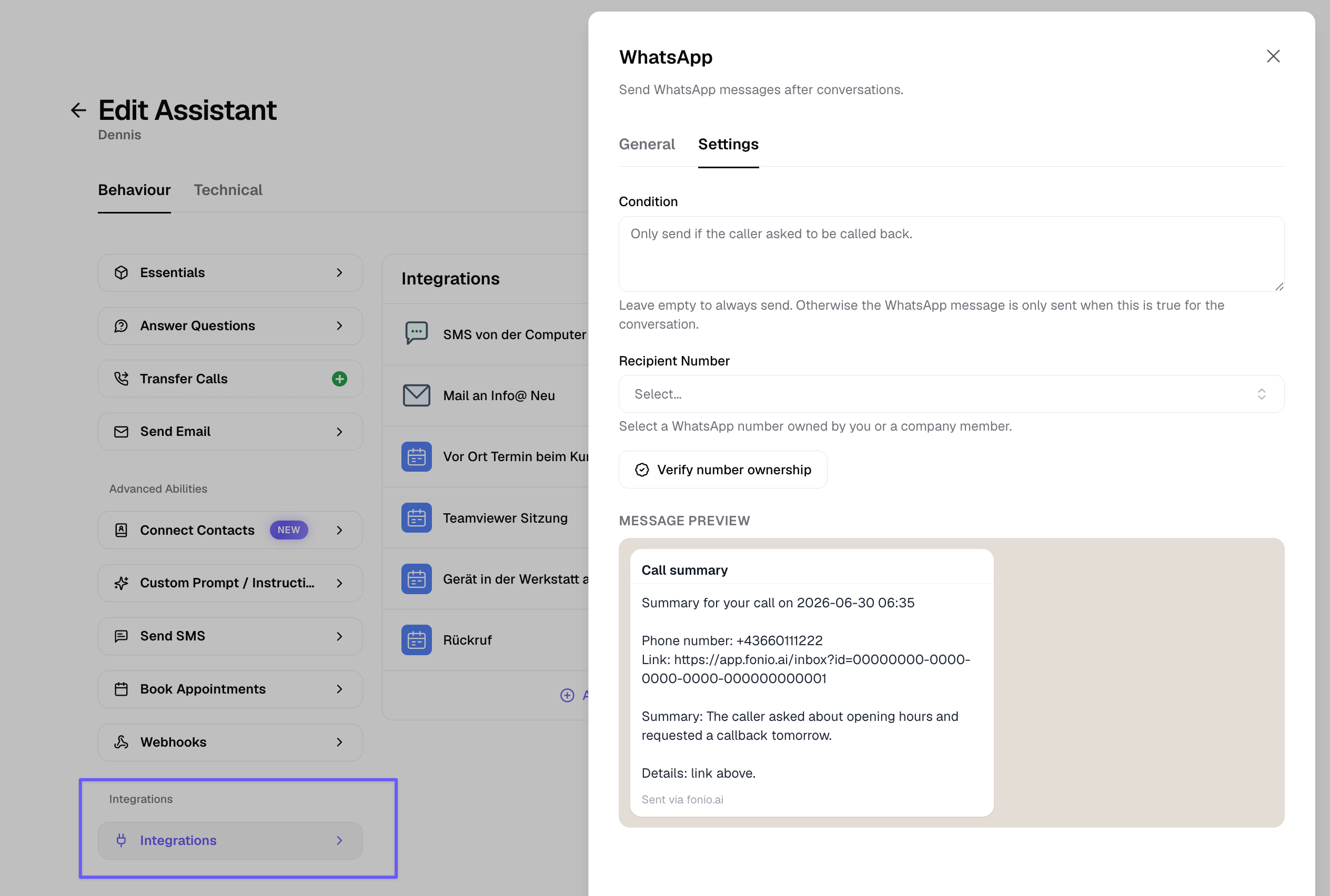
Set up a template message to notify yourself or a team member by WhatsApp after a call.
For example, to flag an urgent request.
Block Contacts
You can now block a contact. If you don't want calls from a number anymore, block it and future calls from that number are stopped.
WhatsApp Post-Call Actions
WhatsApp post-call actions are now available in alpha. Your agent can send you a WhatsApp message after a call, for example a summary of a missed call so you know to call back. This requires verifying your number first and is meant for internal communication, not customer-facing messages. Request early access at support@fonio.ai.
Bookings are now possible from landline calls. Previously these were rejected because a verification SMS couldn't be sent to a landline. Now the booking is confirmed without it.
Contacts are no longer created for landline calls that can be shared by multiple people.
KYC for Outbound Calls
Outbound calls now require KYC (identity verification), a 2-minute process that unlocks outbound calling on fonio numbers. Existing customers have 2 weeks to complete it; new customers must complete it before making outbound calls.
Voicemail Detection
Improved voicemail detection. Outbound calls that reach voicemail or an IVR are now recognized in 2-3 seconds instead of 10+, and no longer get stuck in loops.
Search Tool Improvements
The search tool now live-fetches your configured website URLs for faster, more reliable answers.
New Italian Voices
6 new Italian voices are now available.
Disable Interruptions
You can now disable interruptions entirely, not just for the start message. This helps in loud environments where unwanted interruptions could lead to bad conversations.
Contacts feature UI simplified.
Contacts Company Field
Contacts now include a company field. First name, last name, and company name update automatically from higher-quality sources like typed input or documents, but stop updating once you import a contact via CSV or edit it manually.
New voices for Dutch and Spanish are now available.
WhatsApp Images
WhatsApp agents can now interpret images.
Failed transfer notification emails now include the caller's number.
Contacts
Contacts is rolling out. Fonio now remembers people who previously called or chatted, and uses that context in every future conversation.
The fonio platform is now available in Spanish.
New voices for the US are now available.
Transcription accuracy improvements.
Time slot suggestion fix.
Booking Reminders
Booking reminders for calendars. Callers who book an appointment now receive a reminder ahead of time.
Integration templates now include summary, conversation ID, and conversation link fields.
Spanish voice (Marta) is now available.
WhatsApp conversations now store media, such as images.
Integration for Stora.
Release note (06.06.2026)
WhatsApp Human Takeover. Take over a WhatsApp conversation from the AI directly from the Conversations list.
Calendar: Disable Rescheduling and Cancellation. Prevent callers from rescheduling or deleting appointments via the booking link.
Baserow Integration.
Release note (04.06.2026)
Conditional Start Messages. Set different start messages depending on whether a call is inbound or outbound.
Conversation Flow Improvements for AI-Based Bookings. The flow for booking appointments via AI is smoother and more reliable.
New French Voice.
Layout Improvements. The platform interface has a refreshed layout.
fonio is now available in Dutch!
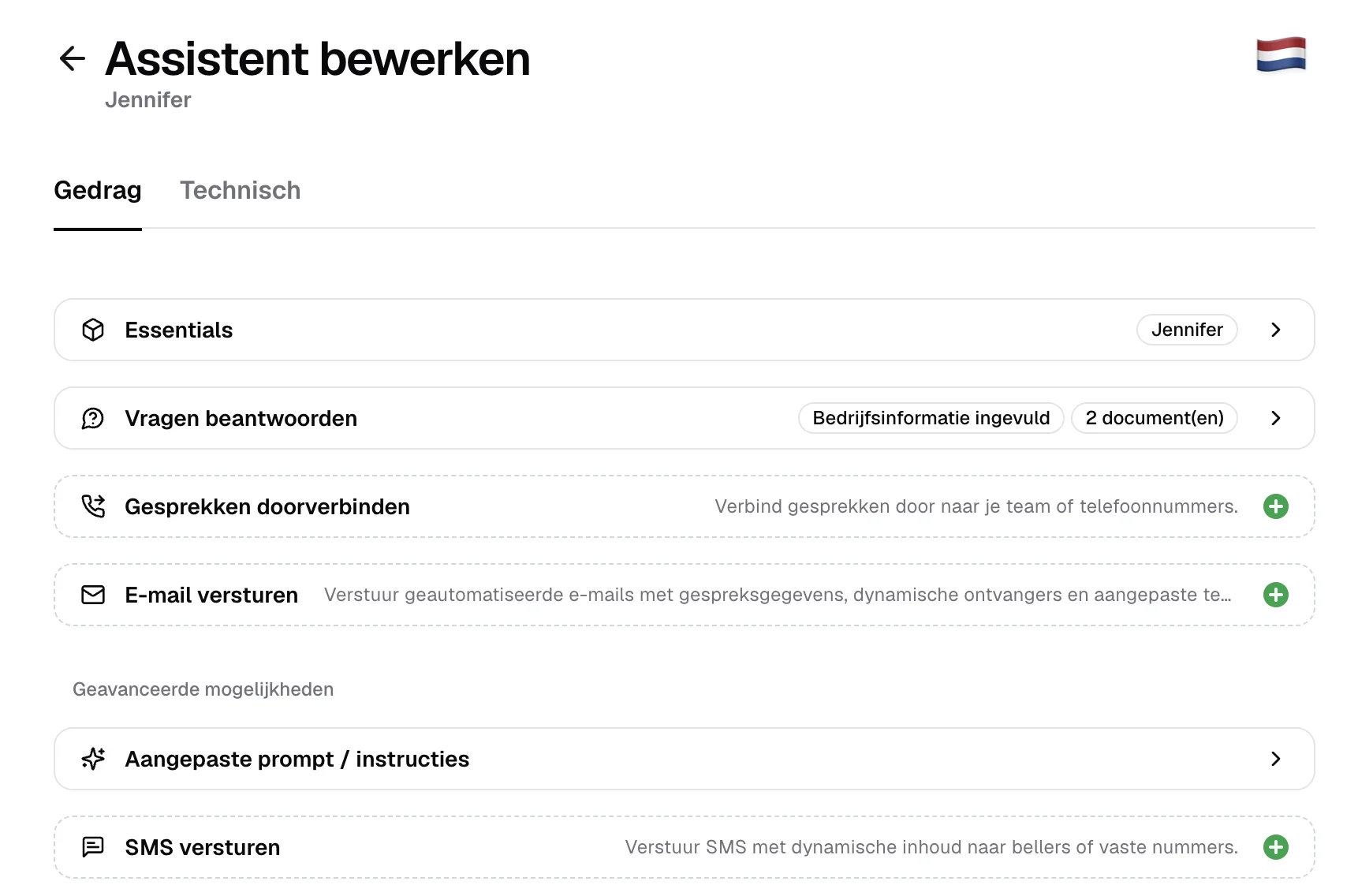
Mobile Netherlands numbers are now available. Use a Dutch mobile number for your assistant.
The platform is now available in Dutch. The fonio interface can now be used in Dutch.
New Inbox. Calls and chats are now in one place - with filters, tags, audio playback, and full transcripts all accessible from a single view.
New Inbox
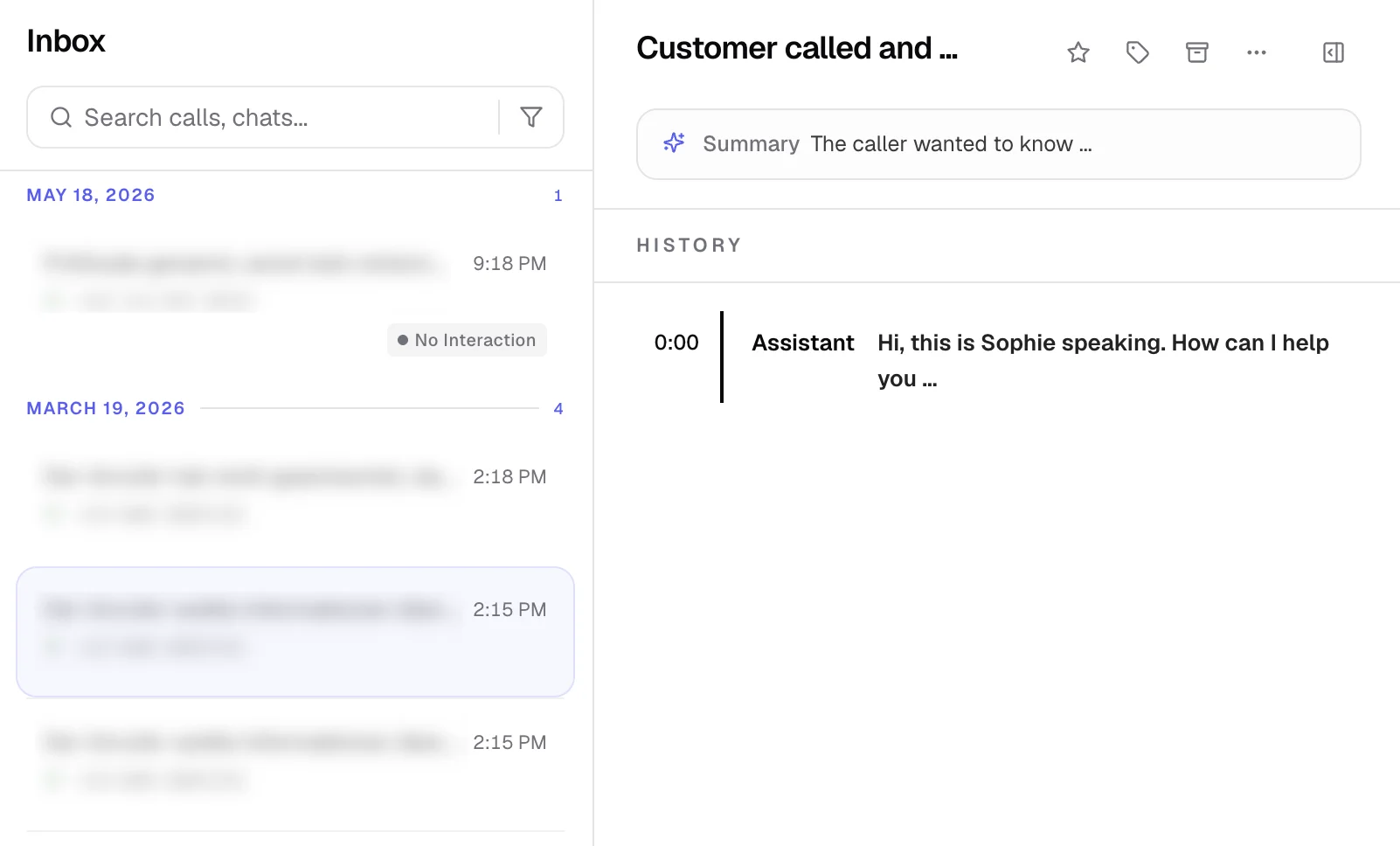
New Inbox. Calls and chats are now in one place - with filters, tags, audio playback, full transcripts, and call metadata all accessible from a single view.
Infinite scroll.
Inbox filters. Filter your inbox by agent, conversation type, and more.
Tag picker with inline create and color palette. Create and assign tags directly from the inbox without leaving the view.
Audio player: Listen to call recordings directly in the inbox.
Full transcript view with system events. Read complete call transcripts including system-level events.
Chat message history: View the full message history for chat conversations.
Detail metadata panels. Call and chat details are organized in collapsible side panels.
Partner account switching. Partners can now switch directly into a referred company's account once access has been granted.
Knowledge base UX improvements.
Whatsapp AI Release & Improvements
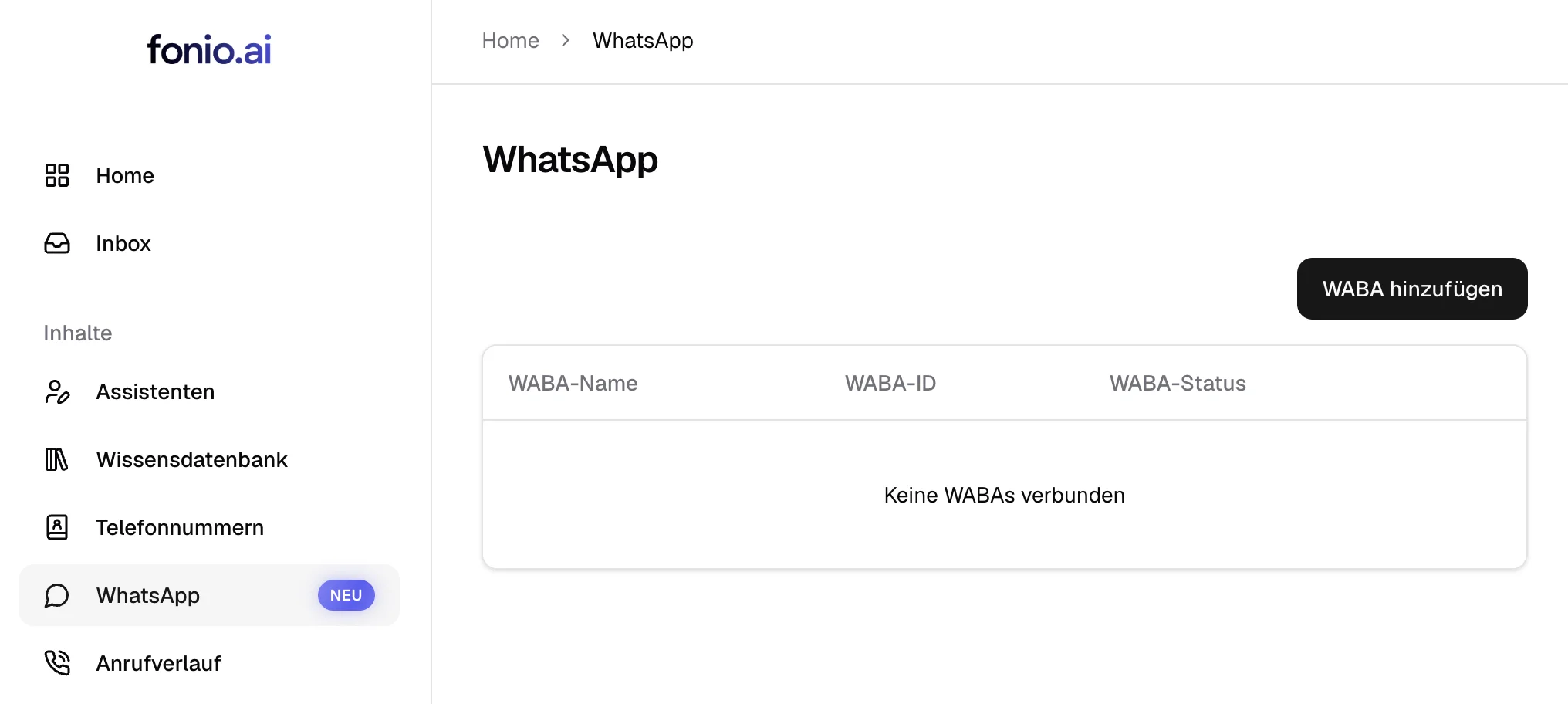
WhatsApp AI is now available. Your assistant can be used for WhatsApp as well.
Turn Detection Improvements. Your assistant is now better at detecting when a caller has finished speaking.
Cal.com Integration Fixes for Chat Agents.
Google Sheets is now supported
Google Sheets is now supported. You can now read or append rows to Google Sheets before, during and after the call.
Prompting templates for WhatsApp are now available.
Timezone fixed for calendar booking confirmations.
Self-learning Knowledge Base & 2-Factor Authentication
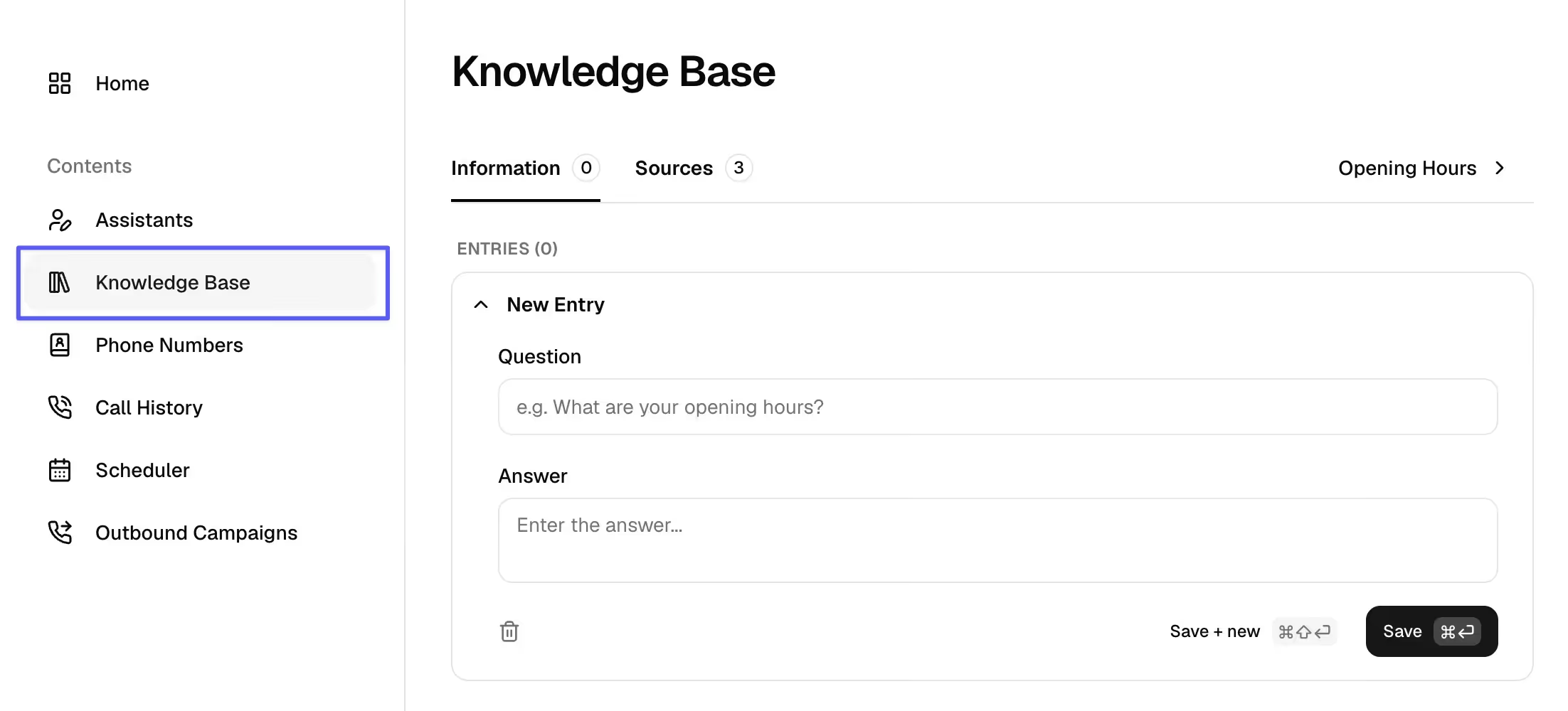
The new knowledge base is now available:
Agents now learn and build up their knowledgebase themselves.
Answers they figured out themselves can be corrected & approved.
Questions they cannot answer will land in your inbox!
2-Factor Authentication is now available for
Team plans
and Partner plans
Release note (12.05.2026)
We now have public API documentation: https://app.fonio.ai/api/docs
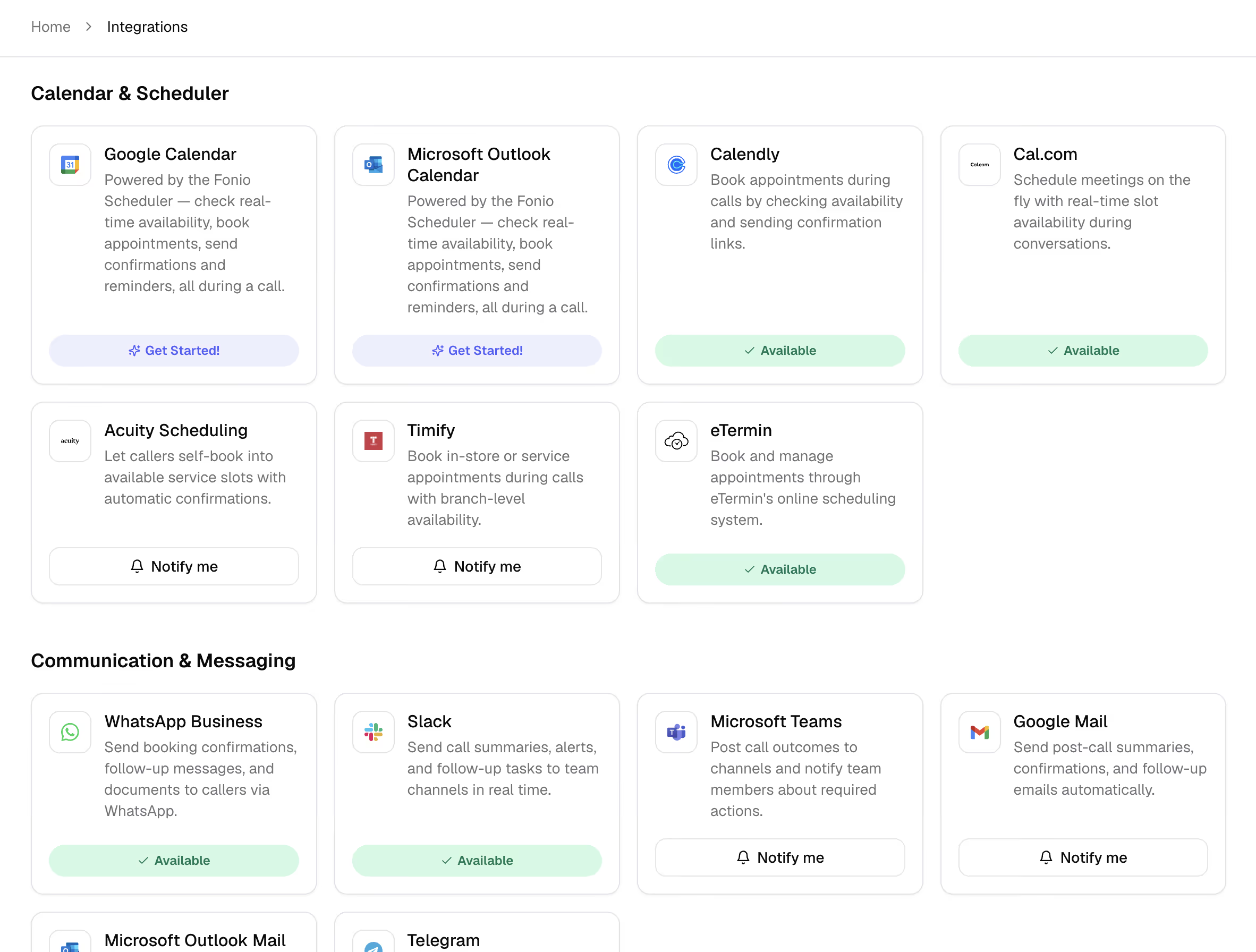
New integrations are live
eTermin
n8n
make
Airtable
Slack
You can now define user-based call transfers with availability checks and notification email on absence.
The phone number automatically updates depending on the user.
2 Factor Authentication is now available.
Release note (08.05.2026)
You can now see the usage on the dashboard based on the subscription cycle instead of the month.
Outbound campaigns now have pagination, search and filters.
New variable & bug fix
New variable
plainTranscriptcan be used as in emails.Bug fix: call transfers or end_calls are no longer announced twice.
New Voice & Booking Window
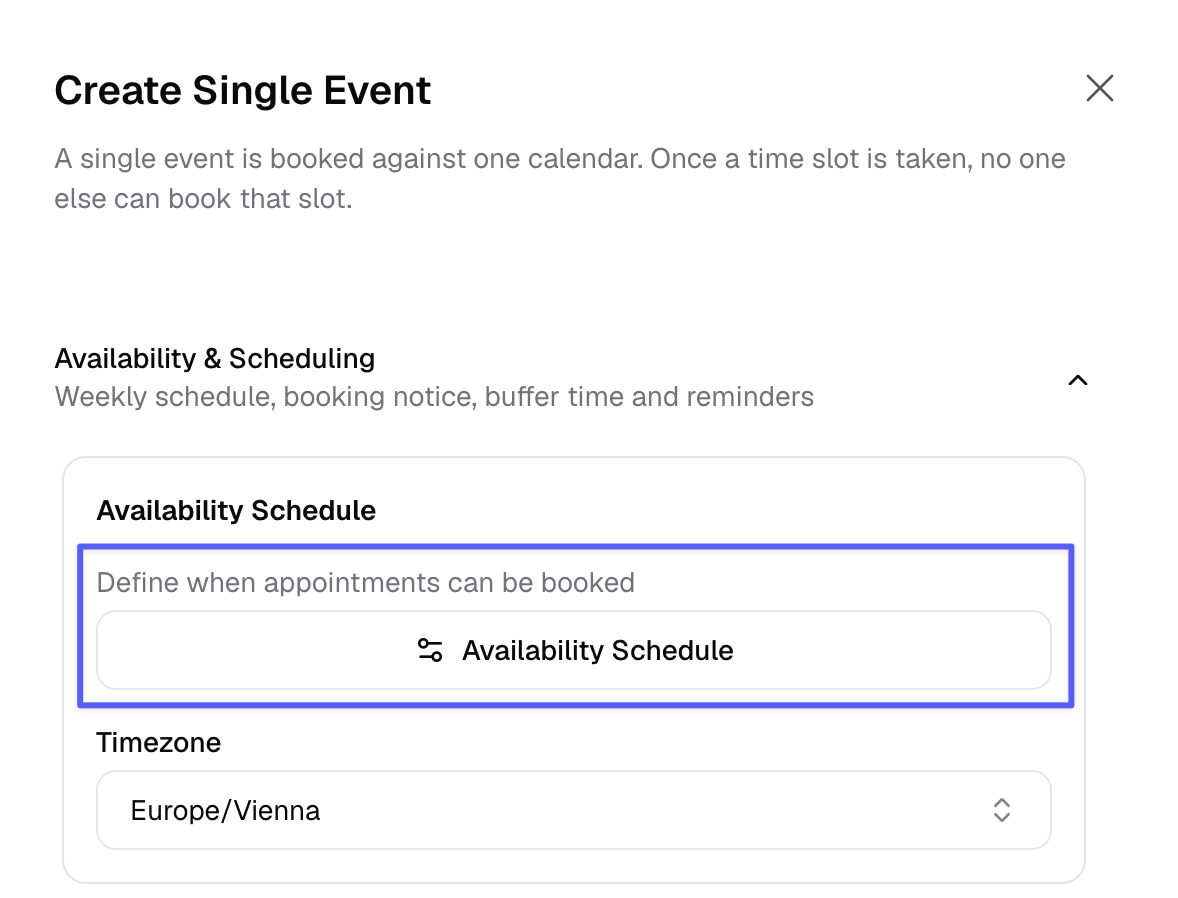
This is new:
voice for senior people ("Hilde")
calendar booking window (how many days in advance can be booked)
fonio Scheduler
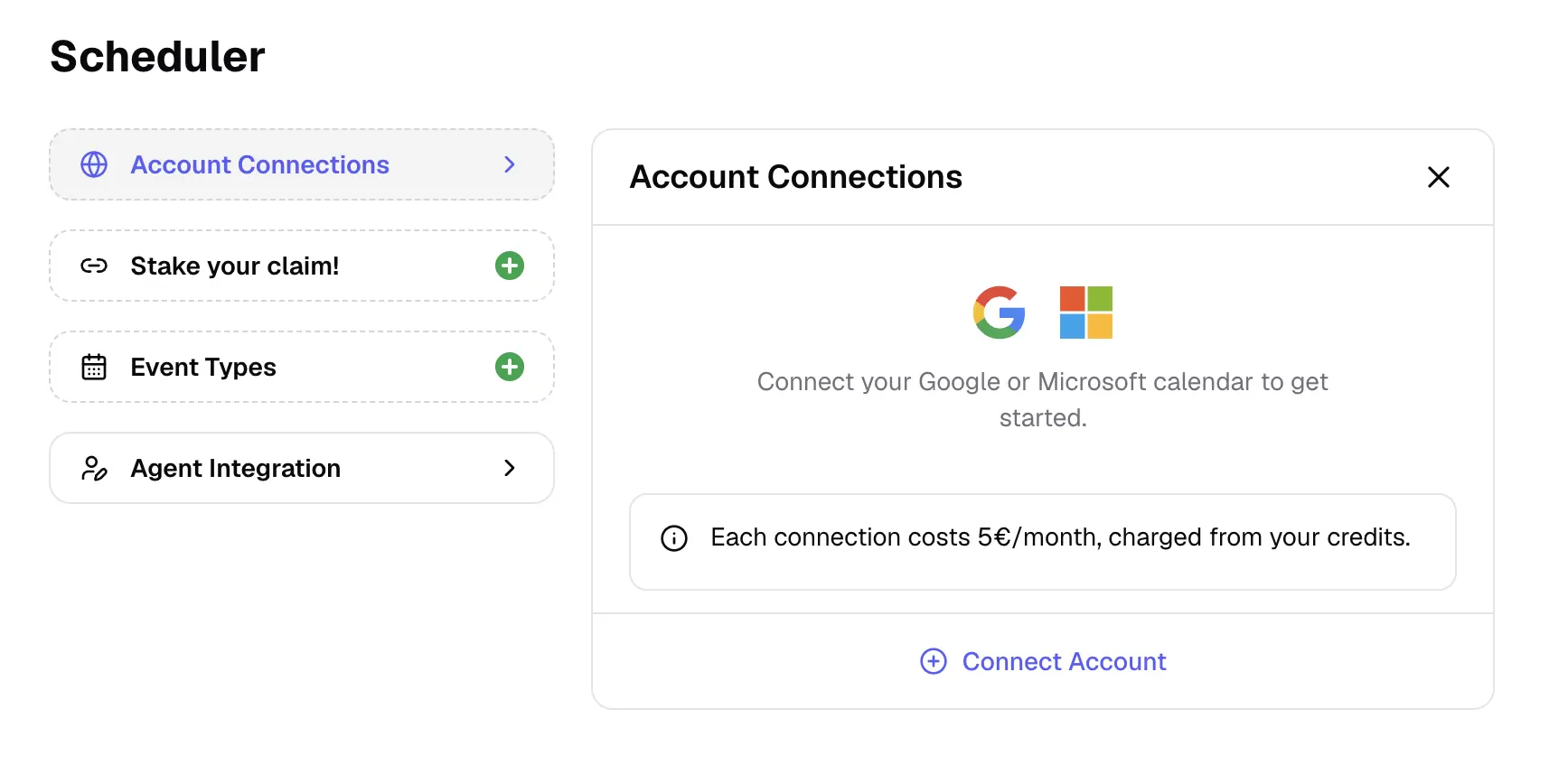
What you can do with the fonio Scheduler:
Directly integrate your Microsoft / Google Calendar
Booking links so others can schedule an appointment with you based on your availability.
Custom fields filled by AI
Shared calendar fields
Big improvements in language switching
Our AI Assistant can handle calls in more than one language much better and switch between them more quickly.
Updates: Turn detection, guardrails and live moderation
New version of turn detection with higher patience during dictations.
Better guardrails and live moderation.
Update: lower latency and higher intelligence
New LLM model brings lower latency and higher intelligence.
Parallel Tool Execution disabled to prevent issues with long running tool calls.
New: Integrations page
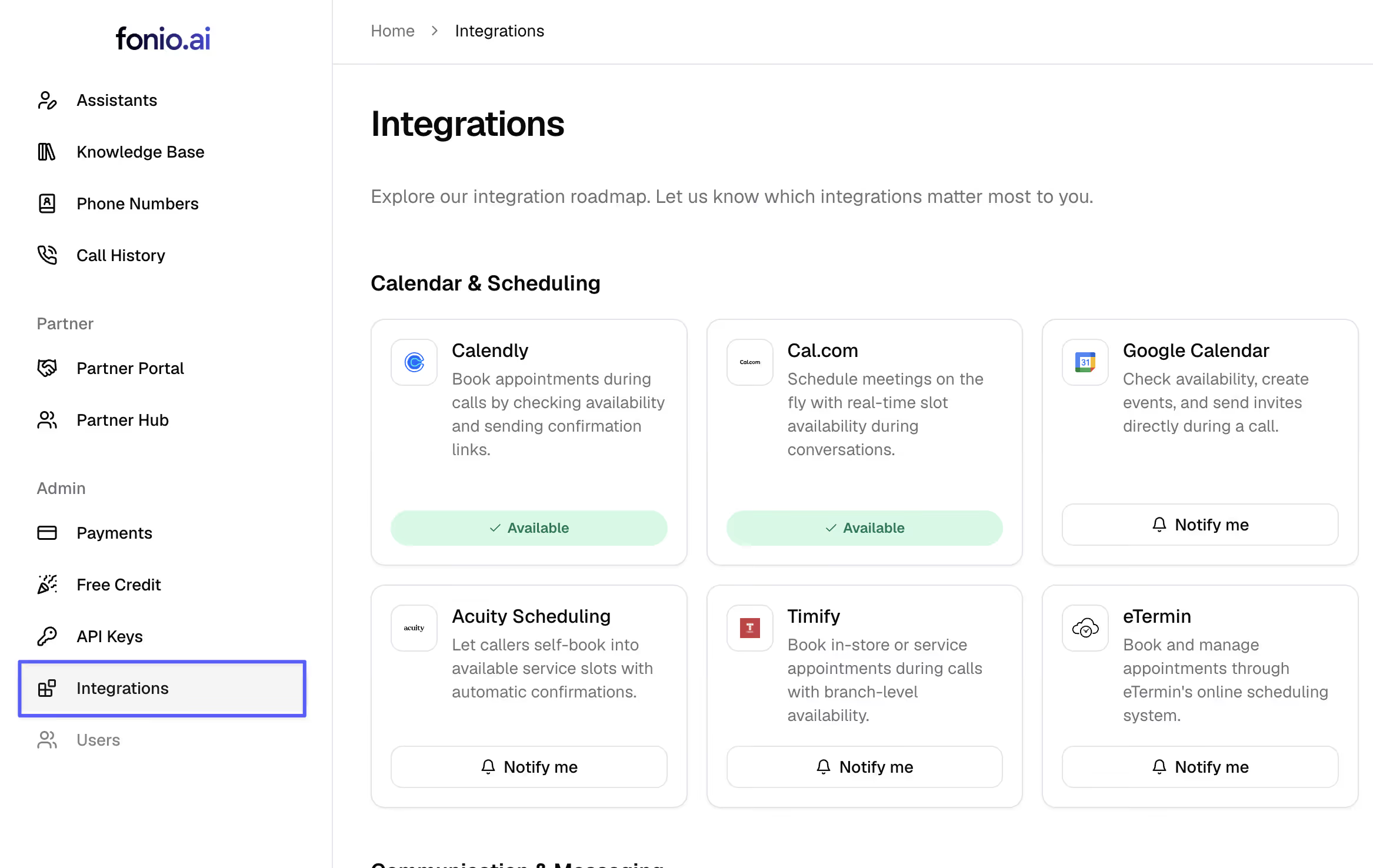
In the left menu you can now see the integrations page. Here you can place integration wishes.
Change platform language
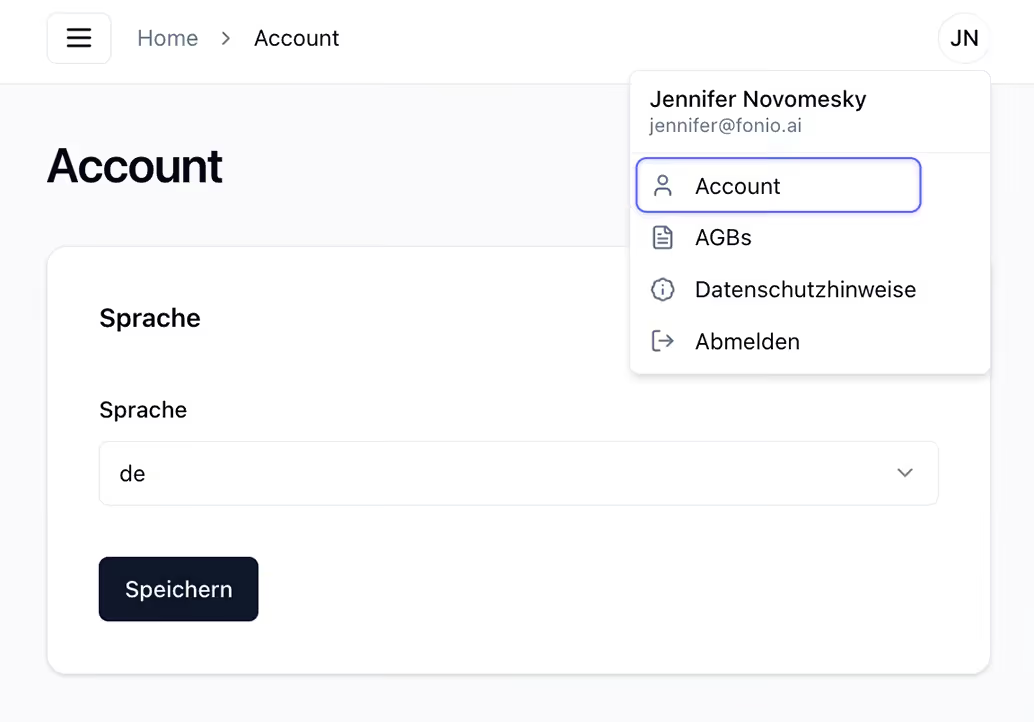
The fonio user interface is now also available in English.
You can find the setting under: Account → Language
Improved recognition for short and unclear responses.
Significant improvement in recognizing short answers and asking follow-up questions when the caller's answers are unclear.
New international numbers
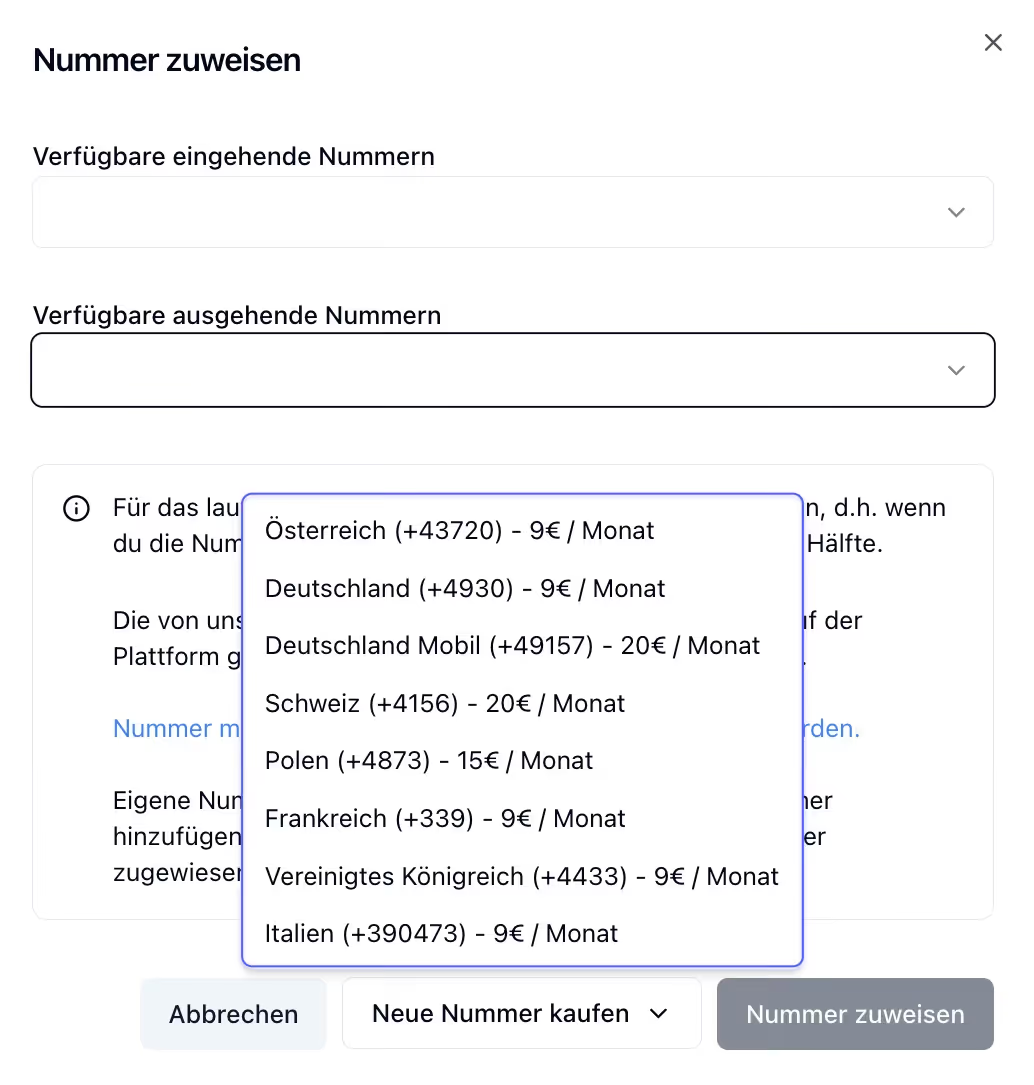
Fonio numbers are now available in three additional countries:
🇮🇹 Italy (+39 0473)
🇫🇷 France (+33 9)
🇬🇧 United Kingdom (+44 33)
Change payment method & billing address
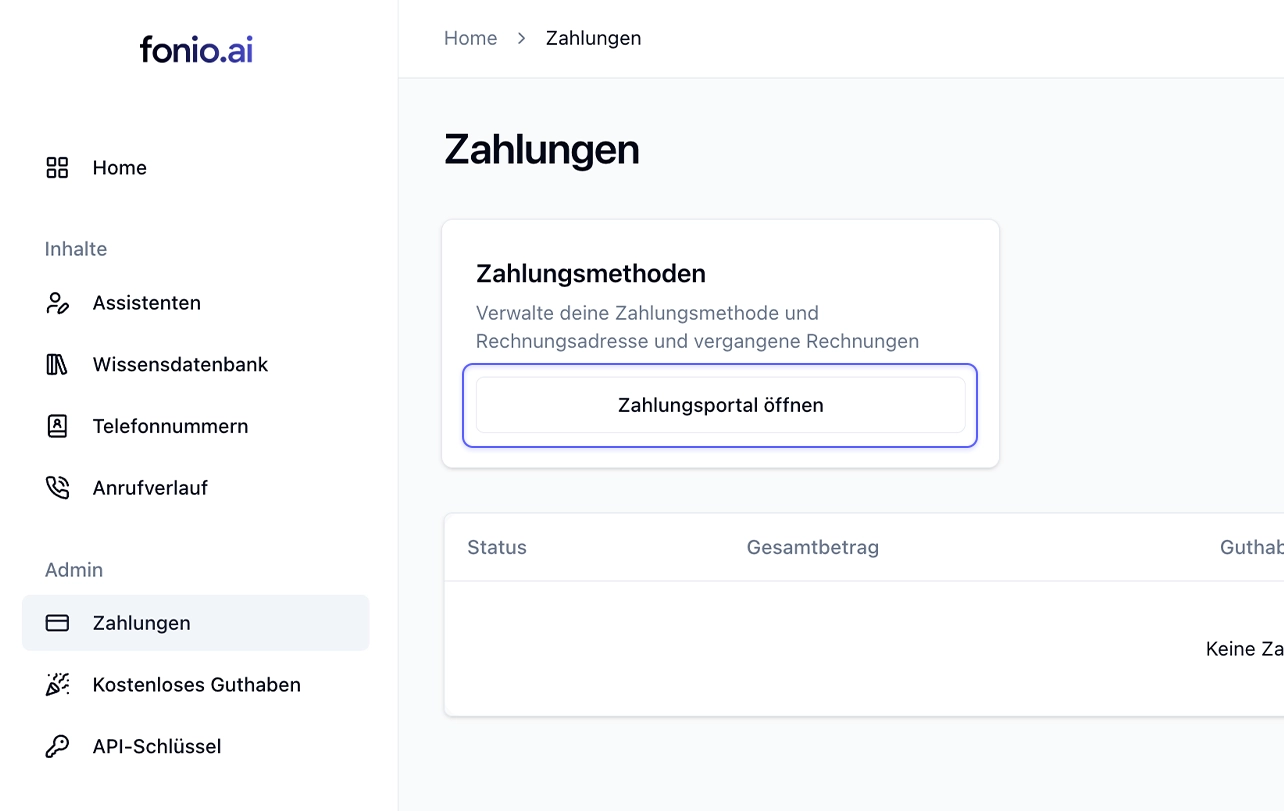
From now on, you can easily adjust your payment method and billing address yourself.
Go to: Payments → Payment methods → Open payment portal
Translation of static messages & prompt templates
Static messages (‘Is anyone still there?’ or ‘The maximum call duration has been reached’) are now translated into the current language.
Prompt templates are now translated into the current language of the assistant when inserted.
Duplicate post-processing & multiple assistants
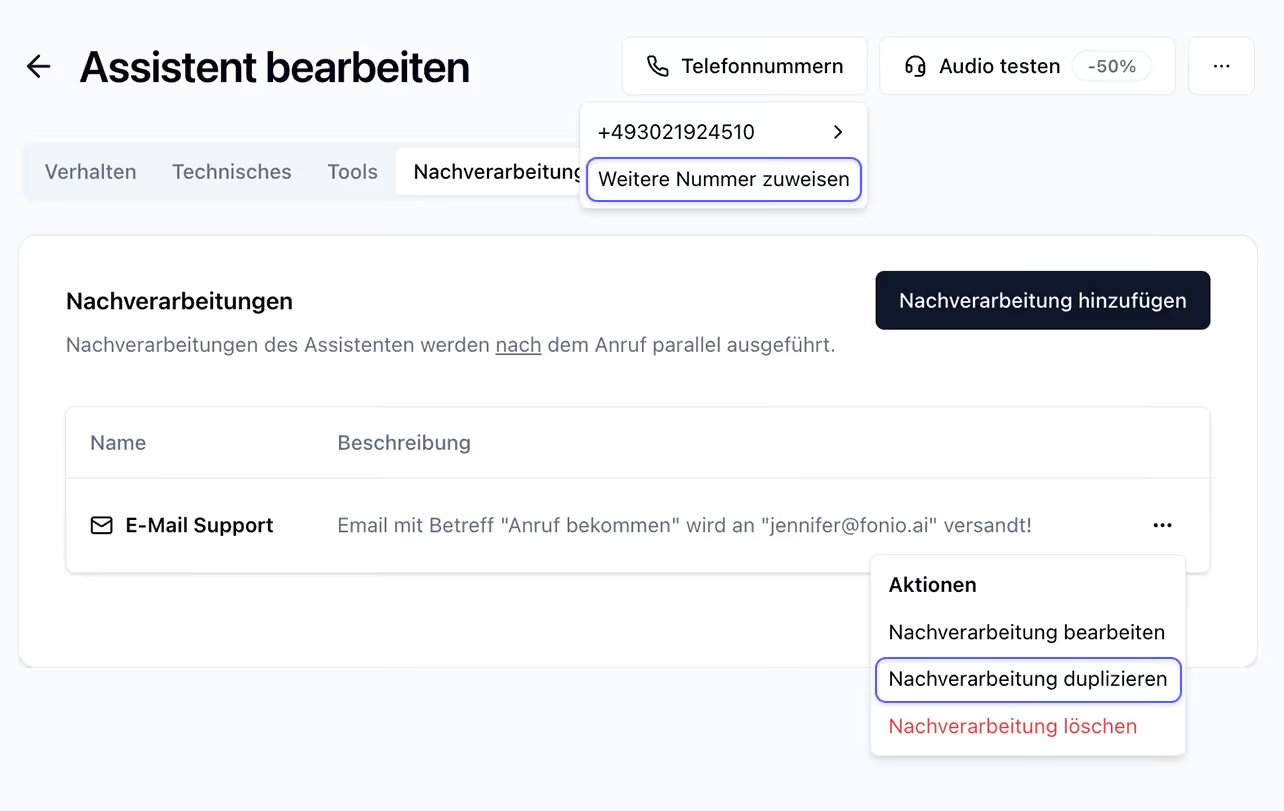
Tools and post-processing can now be duplicated.
An assistant can now have multiple telephone numbers. Ideal for scenarios in which the same assistant needs to be reachable in different countries (PS: we now also have Swiss numbers!).
A number can now be assigned to different assistants for inbound/outbound calls. Perfect for use cases where a callback on an outbound call should be handled significantly differently (our Handlebars logic can be used for small differences).
Add technical terms + new country codes
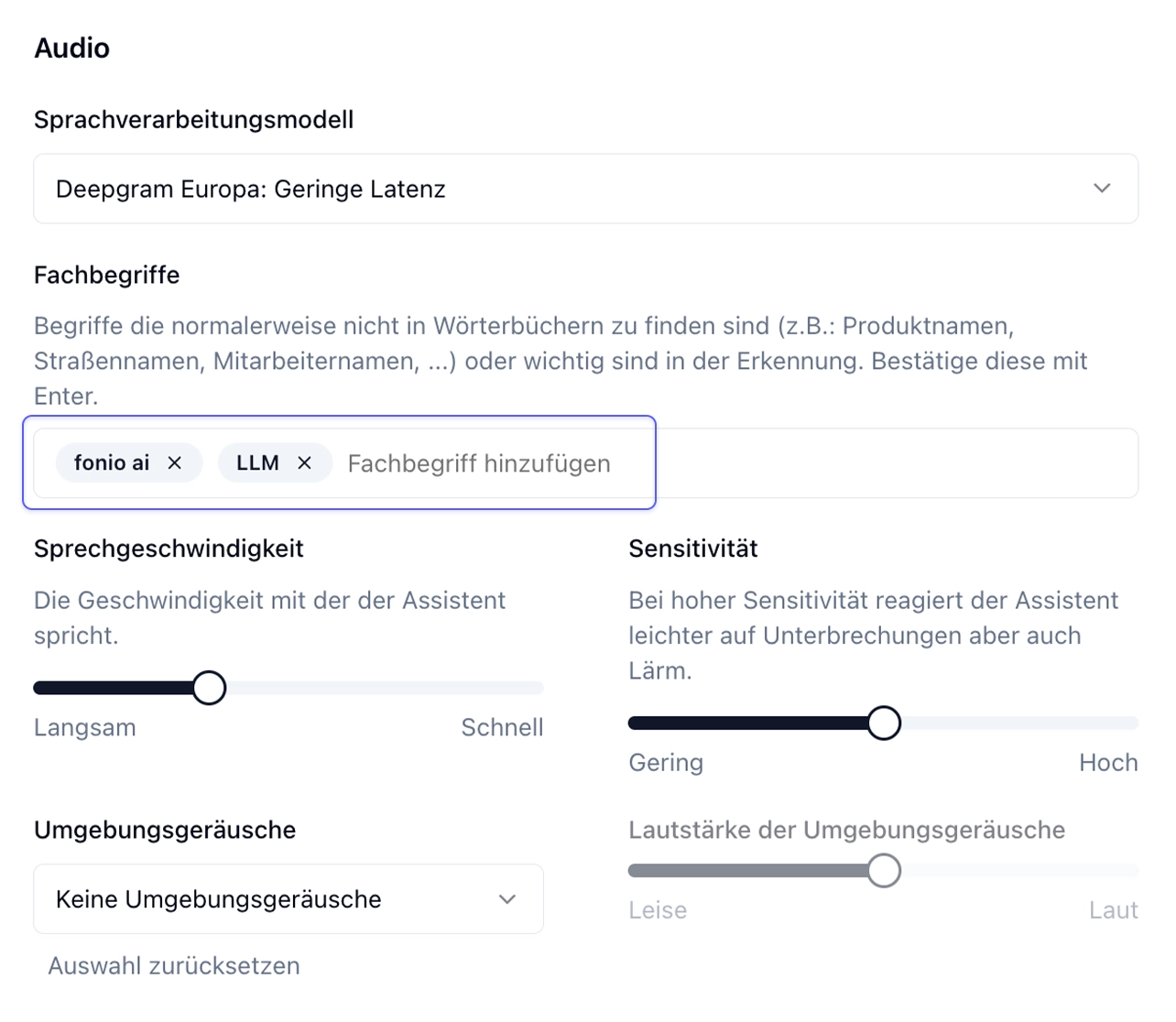
With the specialized terms feature, terms that are normally not found in dictionaries (e.g.: product names, street names, employee names, …) or words that are important can be added to the recognition.
Specialized terms can be set up under: Technical > Audio > Specialized terms.
Further: Swiss and Polish numbers are now available for all accounts.
Ogni chiamata riceve risposta. Anche quando non puoi rispondere tu
Prova tu stesso il nostro assistente telefonico AI: risponde alle tue chiamate a qualsiasi ora e alleggerisce il lavoro del tuo team. Si configura in pochi minuti.